Guides / Guide
Product launch checklist: what to have readyLaunch week, item by item
A product launch checklist: what has to be ready on launch day, from the build and store page to the site, film and posts, plus what to watch the week after.
A product launch checklist covers four things: a product people can use without you in the room, a site that explains it and lets people sign up, a film and the assets that go with it, and a plan for where you post and who answers. If those four are ready the week before, launch day is mostly waiting, answering and fixing small things. This guide goes through each one, then the day itself and the week after.
Where launch week sits on the path
On our Launch Path, launch is the last of three stages. Idea decides what to build and gives it a name and a look. Build makes the product and its site, with a working build every week. Launch makes the films and hands everything over. When we run the whole path as Zero to launch, it takes about 12 weeks from kickoff to launch for a first version on one platform. Our guide to the path from idea to launch covers the first two stages in detail.
Most of what is on this list gets decided long before launch week. The store screens come out of branding. Analytics and sign-up get wired in during the build. Launch week is when you check that each piece is in place and works where your users will meet it.
If you are launching with another team, or on your own, the list still applies. The order matters more than who does each item.
The product: a build people can use without you
The product has to hold up when someone opens it for the first time, alone, on their own device. Everything in this section is about that first session.
A stable build
Freeze the features a few days before launch and spend those days fixing. A new feature added in launch week is a feature nobody has tested on a real phone. If you have been seeing a working build every week, you already know how the product behaves, and the last builds should only get calmer.
Check the paths a new user takes, end to end:
- Sign up, sign in, sign out and reset a password.
- The first screen after sign-up, with no data in it yet.
- The one flow the product exists for, from start to finish.
- What happens offline, on a slow connection and when something fails.
- Payments, if you charge on day one, with a real card on the live setup.
The store listing or the domain
For an iPhone app, the build has to pass App Review before anyone can download it. Apple lets you hold an approved version and release it yourself, and its help page says a manually released version may take up to 24 hours to appear on the App Store. So submit early, choose the manual release option, and release it the day before you announce. The store page needs its name, subtitle, description, screenshots and, if you have one, a preview video.
For a web app, the domain has to point at the live product, with a valid certificate, and every link in your emails and posts has to land on a page that exists.
[Who submits to the App Store and owns the store and domain accounts: to confirm per project.]
Analytics you can read on the day
Decide before launch which few numbers you will look at: visits, sign-ups, people who finish the main flow, and payments if you have them. Set up the events for those, then trigger each one yourself on the live product and check it arrives. An event you have never seen fire is one you cannot trust on launch day.
Error tracking
Errors on launch day reach you through two channels: the tool that catches them and the people who write to you. Set up error tracking on the live build, trigger a test error, and make sure an alert reaches someone who will read it that day.
On our builds, the app development stage ends with the release itself, with analytics and error tracking already set up, so the first numbers and the first errors reach you from launch day.
The site: pages, search basics and a sign-up that works
The site is where most people land first, so it has to answer what the product is, who it is for and what to do next, quickly.
The pages you need on day one
Keep it small. Most launches need:
- A home page that says what the product does in one sentence, with the film or a product shot near the top.
- A page for pricing, or a plain line saying how it is priced.
- A short page on how it works, or a few sections on the home page.
- Privacy and terms pages, which the stores and many sign-up tools ask for.
- A contact or support address that someone reads.
SEO basics
Search will not bring much traffic on day one, but the groundwork has to be there so it can later. Every page needs its own title and description, and a share image so links look right when people post them. Google’s guide to getting started with Search Console lists the first steps: verify that you own the site and consider submitting a sitemap. Do both in launch week, so you can see when your pages start to show up.
On our web design projects this groundwork comes with the site: page titles, share images, structured data and search verification.
A sign-up that works
Test sign-up from a link in a post, on a phone, with an email address you have never used before. Check that the confirmation email arrives, does not land in spam, and opens the right screen. If people join a waitlist first, check that they get a reply and know what happens next.
The film and the assets
The film is what people share. A list of features will not carry a launch, so the film has to tell one story and show the real product inside it.
The launch film
Our launch film is made with you in it. We write the script and shot list with you, you record a few takes on a phone at home or at the office, and we set those takes wherever the story needs to be, matching the light, the wardrobe and the weather. The places and the light are made with AI, and we say so. You, your words and your product are real. The film runs as long as the story needs, up to two or three minutes, with your product in motion inside it, titles, music and sound.
The film should be finished and signed off before launch week starts. Launch week is for cutting, uploading and checking, with no new edits to the story.
Cutdowns for every channel
One film does not fit every place you post. Each channel wants its own length and frame, so we cut the same story for every channel you launch on.
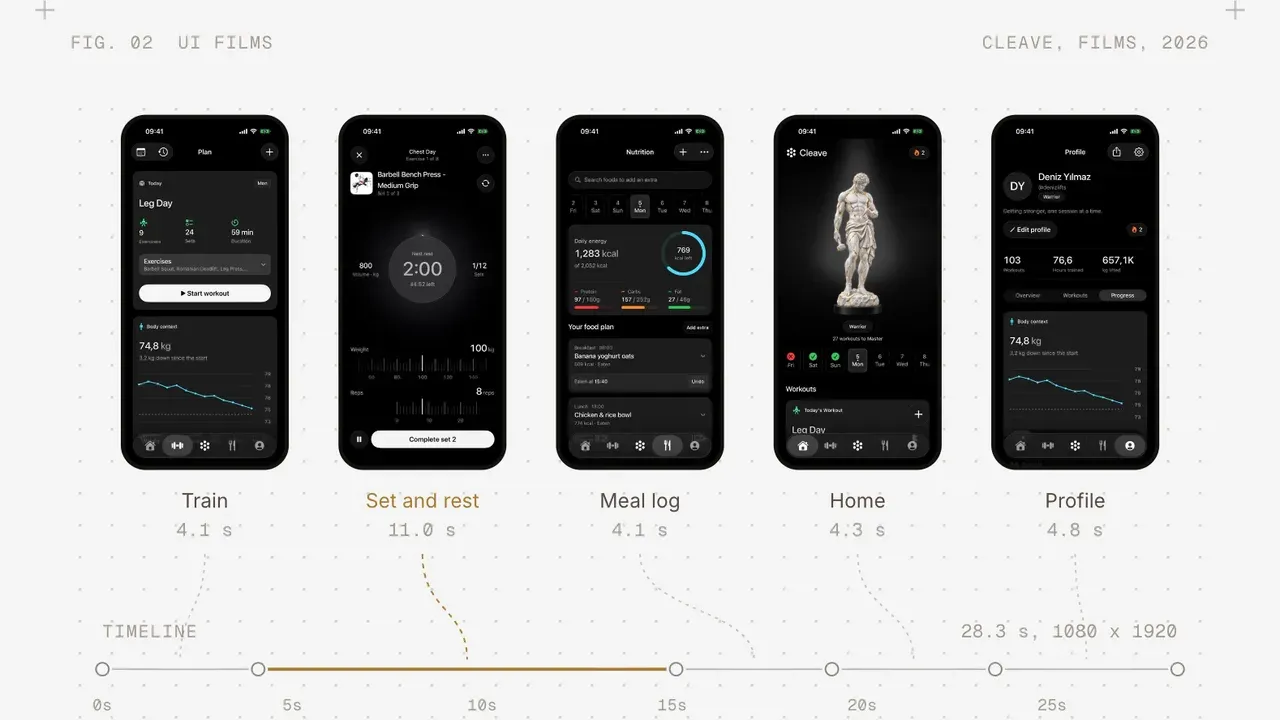
Alongside the launch film, motion video covers UI films made from the real screens, for the site and the store page, so people see how the product works before they install it.
Social assets
Have these ready in one folder before the day:
- The film and every cutdown, named by channel.
- The app icon and the store screenshots, from the brand kit.
- A few still frames from the film, and a share image for the site.
- The written posts for each channel, with links already checked.
- A short description of the product in three lengths: one line, one paragraph and a few paragraphs.
Where to post
Pick the few places your first users already spend time, and put your effort there. For most products that means a few of these: your own email list and waitlist, the social accounts where you and your cofounders are known, communities where your users talk about the problem, and a launch site such as Product Hunt.
If you launch on Product Hunt, its help center sets out what a post needs and when it goes live: the site runs on 24-hour days in Pacific time, and a scheduled post goes live at 12:01 AM PST. The same page says video in the gallery has to be a YouTube link, so upload the film there ahead of time and check it is not set to private. You can schedule the post in advance, and write the first comment yourself.
Write each post for the place it goes. A founder’s post on their own account can tell the story of why you built it. A post in a community should answer the question people there already ask. Use the cutdown made for that channel.
[Who posts on launch day, you or us, and on which accounts: to confirm per project.]
The day itself
Launch day goes best when nothing on it is new. Everything is built, cut, written and tested, and the day is spent releasing, posting and answering.
A plan for the day can be short:
- Before you announce, open the live product on a fresh phone and a fresh browser. Sign up, run the main flow and check analytics records it.
- Release the store version if you held it, and check the page is live in the store.
- Send the email to your list, then post on each channel in the order you planned.
- Answer every comment and message you can, in the first hours most of all.
- Watch error tracking and the support inbox. Fix what blocks people, and write down everything else for next week.
- At the end of the day, write down the numbers you chose and what people said.
Have one person whose job on the day is the product, and one whose job is the conversation. If that is the same person, keep the list of fixes short and say no to anything that can wait.
The week after
Most of the traffic on launch day comes from your own posts. The week after shows who comes back on their own, which tells you more about the product.
Things to do in the week after:
- Read every piece of feedback and sort it: bugs to fix now, questions the site should answer, requests to think about later.
- Ship the fixes that block people, in small releases, and tell the people who reported them.
- Check the numbers you chose against the day: how many people who signed up came back, and how many finished the main flow.
- Update the site where people got confused. If several people asked the same question, the answer belongs on the page.
- Post again with something new: a reply to common questions, a short clip from the film, a first fix shipped.
On our path, launch is also where the handoff happens: the repository, the brand guide, the films and their project files, and the documents from every stage move to you. The last payment, 25%, is due at launch, after a sign-off with you.
The launch day checklist
Here is the whole list in one place. Go through it in launch week, and leave nothing for the day itself.
Product:
- Features frozen, last builds spent on fixes.
- Sign-up, sign-in, the main flow and payments tested on the live setup.
- Store version approved and held for manual release, or the domain live with a valid certificate.
- Analytics events chosen, triggered and seen arriving.
- Error tracking live, a test error sent, alerts going to someone.
Site:
- Home, pricing, how it works, privacy, terms and contact pages live.
- Titles, descriptions and share images on every page.
- Site verified in Search Console and a sitemap submitted.
- Sign-up tested from a post link, on a phone, with a new email address.
Film and assets:
- Launch film signed off before launch week.
- Cutdowns for every channel you post on.
- Store screens, app icon, stills and share image in one folder.
- Posts written for each channel, links checked.
The day and after:
- Channels chosen, posting order agreed, Product Hunt post scheduled if you use it.
- One person on the product, one on the conversation.
- Numbers chosen, and a time set to write them down.
- A plan for the first week of fixes and follow-up posts.
If you are planning a launch and want one team on the whole path, from the first decision to the film, tell us about your product.